
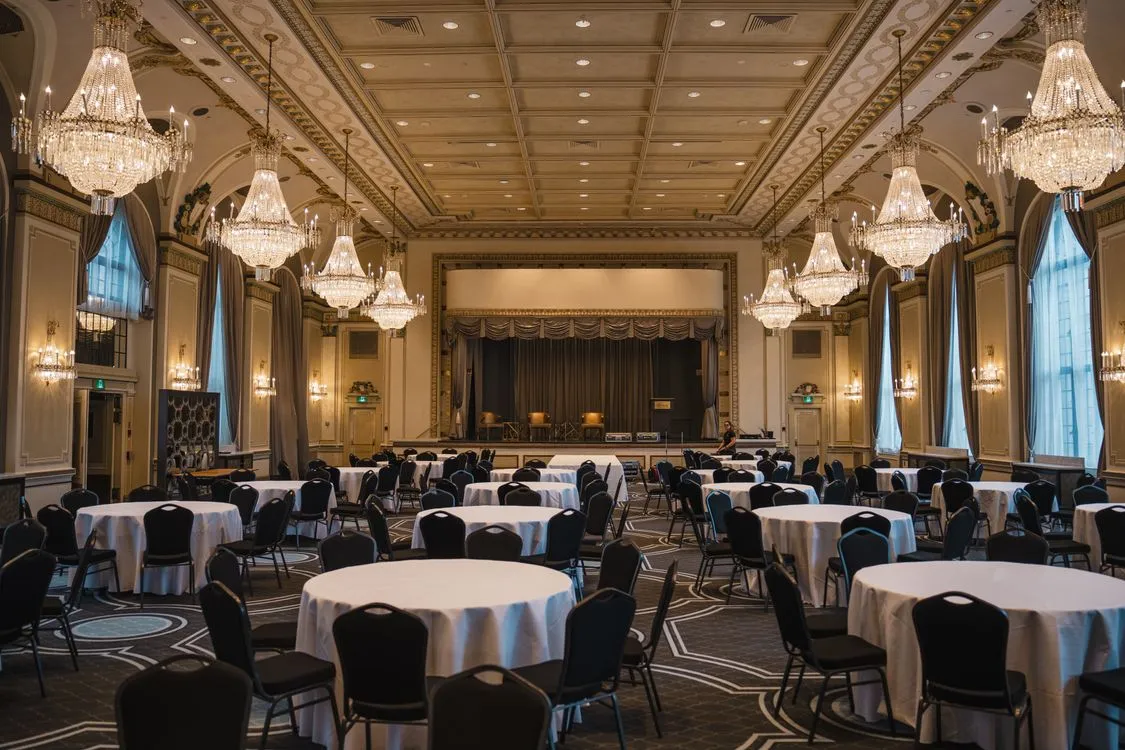
Your DJ needs five things from your venue: reliable power, enough space in the right spot, a workable load-in route, enough time to set up before guests arrive, and a clear understanding of any sound rules. Nearly every event-day DJ problem traces back to one of those details going unconfirmed. Sort them out a few weeks ahead and setup is invisible to your guests. Leave them to the day of and you're troubleshooting while the first guests walk in.
Here's what to confirm with your venue, and why each detail matters.
1. Power
Power is the most common hidden problem, especially in older buildings.
A dedicated circuit. A DJ setup should run on a circuit that isn't shared with catering equipment. Coffee urns, warming cabinets, and portable heaters draw a lot of power — and when they share a circuit with the sound system, they can trip the breaker in the middle of a toast.
Lighting. Uplighting and other effects add to the load. If lighting is part of your plan, ask whether it needs a separate circuit.
Outlet location. Know where the outlets are before you decide where the DJ goes. Long extension cords across walkways are a tripping hazard and need to be taped down or covered.
Outdoor events. If you're outside, confirm there's power close enough, or plan for a generator. My guide to DJing outdoor events in Little Rock covers outdoor power and weather backup in detail.
2. Space and placement
Where the DJ sets up affects how the whole room sounds and feels.
Footprint. A standard event setup needs roughly an 8-by-10-foot area for the DJ table and speakers. Larger rooms, bigger sound systems, and lighting take more.
Next to the dance floor. The DJ should be close to where people will dance, with a clear view of the room. A DJ tucked behind a pillar can't read the crowd.
Away from exits and service paths. Don't put the setup in front of a fire exit, on the caterers' route from the kitchen, or where it blocks the bar.
Near the program. If the DJ is handling microphones for speeches or an auction, they need a line of sight to the podium or stage.
3. Load-in
Getting equipment from the vehicle to the setup spot sounds simple until you hit a locked loading dock.
Ask your venue:
- Where should the DJ park to unload, and is there a loading dock or service entrance?
- Are there stairs, and is there an elevator if needed?
- Does the DJ need to check in with security or a venue coordinator?
- Is parking available for the DJ's vehicle during the event, or does it need to move after unloading?
Downtown Little Rock venues and hotel ballrooms often have the most specific load-in rules, so ask early. My Little Rock event venue guide covers what to expect at several popular spaces.
4. Time
Setup window. Most event DJs need 60 to 90 minutes before guests arrive to load in, set up, and sound-check. Large rooms, lighting, and long load-in routes take longer.
Venue access. Confirm the earliest time the venue will let vendors in. If another event is in the room earlier that day, the window may be tight.
Teardown. Know how long you have after the event ends, and whether there's a hard out time. Some venues charge if vendors run late.
5. Sound rules
Volume limits. Some venues — especially hotels, multi-use buildings, and spaces near residences — have decibel limits or require music to be at a lower level after a certain time.
Curfews. Outdoor venues and some neighborhoods have noise curfews. Know the end time before you plan the dancing.
House sound. Some venues have their own sound systems or AV teams. Ask whether your DJ is expected to use the house system, bring their own, or connect to the venue's audio for the program portion. When the DJ and the AV team make different assumptions, it causes trouble during load-in.
6. The other details
Microphones. Who's providing the microphones for speeches — the DJ or the venue? If there's an auction or a roaming Q&A, you may need more than one wireless mic.
Video and slideshows. If you're playing a video with sound, confirm how it connects to the sound system, and test it before guests arrive.
Wi-Fi. Professional DJs shouldn't depend on venue Wi-Fi to play music, but it's useful for last-minute requests or coordination. Ask for the guest network password anyway.
Preferred vendor lists. Some venues require you to use a DJ from their approved list, or charge a fee for outside vendors. Check this before you sign with either — it's covered in more detail in How to Choose a DJ in Little Rock.
Insurance. Some venues require vendors to carry liability insurance and provide a certificate before the event. Ask whether your venue needs one so your DJ has time to send it.
A quick venue checklist
Before event day, make sure you can answer each of these:
- Which outlets will the DJ use, and are they on a circuit not shared with catering?
- Does lighting need its own circuit or outlet?
- Where will the DJ set up, and is that spot near the dance floor and away from exits?
- Where does the DJ unload, and is there a loading dock, elevator, or security check-in?
- Where does the DJ park during the event?
- What's the earliest the DJ can get into the room?
- What time does teardown need to be finished?
- Are there volume limits or a noise curfew?
- Is the DJ using the house sound system, their own, or both?
- Who's providing microphones, and how many are needed?
- How does any video or slideshow connect to the sound?
- Is there a preferred vendor list or outside-vendor fee?
- Does the venue need a certificate of insurance from the DJ?
If any of these are still unknown two weeks before your event, that's the time to ask — not the morning of.
Put your DJ and venue in touch
The easiest way to avoid surprises is to introduce your DJ and venue coordinator by email a couple of weeks before the event. Let them sort out power, load-in, and timing directly — they speak the same language. Then include those details in your event run of show so everyone is working from the same plan.
Whether you're planning a corporate event, a nonprofit gala, a fashion show, or a private party, the same five details apply.
Frequently asked questions
How much space does a DJ need at an event?
Roughly 8 by 10 feet for a typical event setup, more for lighting or larger rooms. It should be near power, with a clear view of the room, and not blocking exits or service paths.
Does a DJ need a dedicated power outlet?
Ideally, yes — on a circuit not shared with catering equipment, which can trip a breaker mid-event. Lighting may need its own circuit.
How early does a DJ need to arrive to set up?
Usually 60 to 90 minutes before guests arrive, longer for large rooms, lighting, or long load-in routes.
Booking a venue in Central Arkansas? Send me the venue name and your date and I'll handle the logistics with your venue coordinator directly.